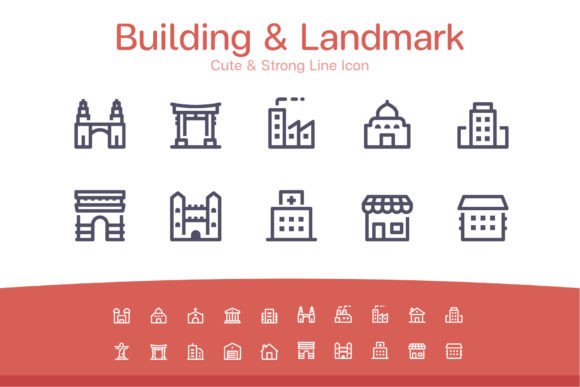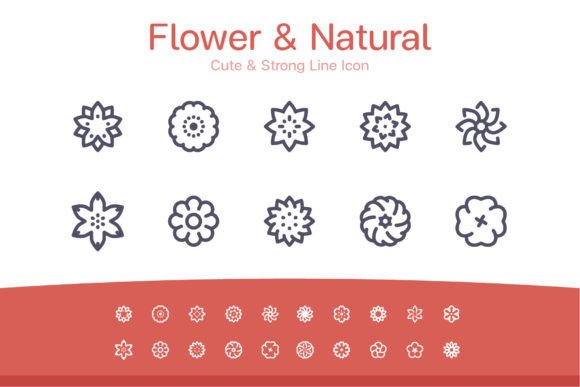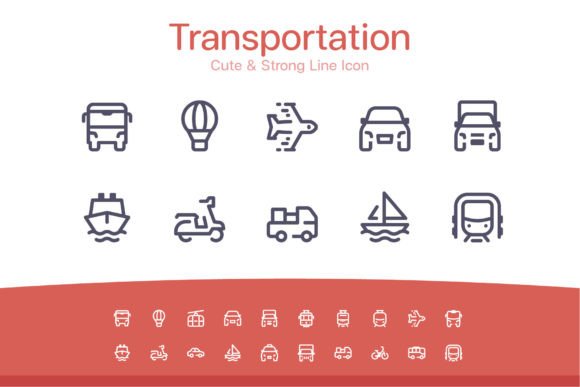
The Leaf Natural Line Icon Set: A Versatile Asset for Modern Creative Workflows
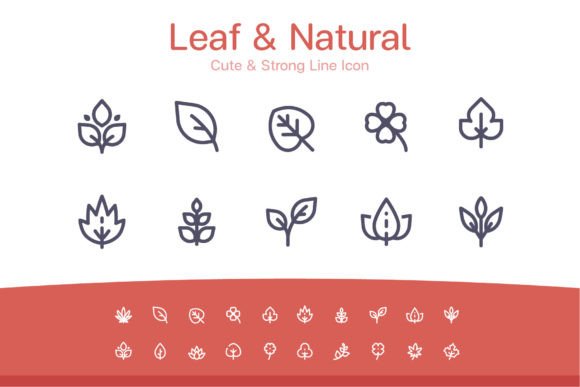
In the digital design landscape, consistency and clarity are foundational to effective communication. Icons serve as visual shorthand, conveying concepts quickly and enhancing user experience across platforms. The Leaf Natural Line Icon set, comprising 20 distinct, cute, and strong line-based designs, is more than just a collection of graphics; it is a structured asset library built to integrate seamlessly into professional workflows from conception to delivery.
Understanding the Asset: A Multi-Format Foundation
What defines the Leaf Natural Line Icon set is its comprehensive delivery in multiple, industry-standard file formats. This isn't a single PNG file tossed into a folder. It is a prepared package designed for compatibility and scalability, addressing the varied needs of different stages in a project's lifecycle. The inclusion of .AI (Adobe Illustrator) files with organized artboards provides the editable vector source. EPS 10 files ensure broad vector compatibility with older or specialized software. Individual SVG files offer modern web-ready scalability and interactivity potential. The provision of PNG files at specific resolutions—32x32px, 64x64px, 128x128px, 256x256px—eliminates the need for manual resizing for common digital applications. Finally, the Photoshop (PSD) files with shape layers allow for non-destructive editing within that specific ecosystem.
This multi-format approach means the asset can be introduced into a workflow at almost any point. A web developer can grab the SVGs immediately for a prototype. A marketer working in a presentation tool can use the pre-sized PNGs without opening a design program. A graphic designer can start with the Illustrator files to customize colors, line weights, or combine elements before exporting to any required final format. The set acts as a single source that branches into all necessary output channels.
Integration into Project Planning and Execution
The utility of the Leaf Natural Line Icon set becomes apparent when mapped against typical project phases. During the planning and wireframing stage, using the simple line icons in mockups helps establish visual hierarchy and functional intent without committing to final, detailed artwork. Their clean style keeps focus on layout and user flow.
In the active design and development phase, the various file formats interact directly with other tools and resources. A UI/UX designer might place the SVG icons into a Figma or Sketch component library for team collaboration, ensuring everyone uses the same asset. A developer integrates these SVGs directly into code, benefiting from their small file size and resolution independence. Meanwhile, a content creator working on promotional materials in Adobe Photoshop can use the PSD shape layers, easily applying layer styles or effects to match the brand's visual tone.
For final delivery and long-term maintenance, having a consistent icon set across an entire project—from the website to the mobile app to the presentation decks—ensures visual coherence. It simplifies quality control, as there's no mix of disparate icon styles. Furthermore, the vector source files (.AI, .EPS) serve as a master archive. If a future rebrand requires a color change or slight stylistic adjustment, the edits can be made at the source and re-exported through all formats, maintaining consistency across all existing materials with minimal effort.
Practical Implementation Tips for Different Roles
For Web Marketing Agencies & Freelancers: Use the SVG icons for client websites and online marketing apps. Their scalability ensures they look sharp on any device, from desktop to mobile, contributing to a professional, polished feel. Bundle the 128x128px or 256x256px PNGs for social media campaign graphics or email newsletter headers where SVG support might be limited. The “natural” and “cute” aesthetic can align perfectly with brands in wellness, eco-products, education, or gentle services.
For Educators & Publishers Creating Infographics: The line icon style is ideal for informational graphics. Its simplicity prevents visual clutter, allowing data and text to remain the focus. Start with the Illustrator files to unify the icon color palette with your chosen chart colors, then export PNGs at the required size for insertion into your publishing software or website. The strong line icons can represent concepts like growth, stability, or nature, while the cute ones can illustrate community or care.
For Small Business Owners Building Templates: If you're creating internal templates for presentations, reports, or promotional materials, importing the icons as PowerPoint or Google Slides shapes (using the PNGs or converted vectors) creates a reusable visual system. This elevates the perceived quality of routine communications without requiring design expertise each time.
Workflow Efficiency Through Organization
A key feature of this set that enhances workflow efficiency is its inherent organization. The Illustrator files contain artboards, likely meaning each icon is isolated on its own board. This structure allows for quick, batch exporting. You can select all artboards and export to SVG with a single command, generating the individual files automatically. Similarly, you can set up an export preset for the four required PNG sizes. This saves the significant time usually spent manually isolating, naming, and saving each icon variation.
For team environments, this organization reduces friction. A designer can hand off the source .AI file to a colleague, and the artboard layout makes it immediately clear where each asset is. The naming conventions of the derived files (e.g., `leaf-icon-01.svg`, `leaf-icon-01-256px.png`) also support systematic use in coding or asset management platforms.
Customization and Long-Term Value
The “simple to work with and highly customizable” nature stems from the vector source. Changing the stroke color is a one-step operation in Illustrator. Adjusting the line weight slightly can make the icons feel stronger or more delicate to match a new brand direction. Elements can even be broken apart and recombined to create unique derivative icons for a specific project. This adaptability grants the asset long-term value. It’s not a static resource you use once; it becomes a part of your digital asset library that can evolve alongside your projects or brand.
Consider a scenario where a blogger uses the icons for a series of posts on sustainability. A year later, they launch a related online course. They can use the same icon set in the course workbook (using PDF-compatible EPS or PNG) and on the course landing page (using SVG), creating a subtle but effective visual link between the two ventures. The consistency builds recognizability.
Seamless Integration Across New Media Templates
The specified use cases—web marketing, social media services showcase, online marketing apps, website templates, presentations, promotional materials, infographics—are not just suggestions; they are reflections of the set’s technical readiness. For each of these, a specific file format is optimal.
- Website Templates & Apps: Prioritize the SVG files.
- Social Media Graphics & Promotional Materials: The 256x256px PNGs are ideal for high-resolution posts.
- Presentations & Print-Oriented Materials: The EPS or high-res PNG files ensure print-ready clarity.
- Infographics in Photoshop: Direct use of the PSD shape layers integrates them into the composition as editable elements.
By matching the format to the final medium, you avoid quality loss and technical hiccups. This practical compatibility is a core aspect of the set's design, removing a common obstacle—format conversion—from the creative process.
Ultimately, the Leaf Natural Line Icon set is engineered for practical implementation. It fits into a workflow not as a novelty, but as a reliable, structured component. Its value is realized not just in the aesthetics of the 20 individual icons, but in the thoughtful provision of those icons in every format a modern creator, marketer, or business owner might need. By reducing prep time, ensuring cross-platform consistency, and offering a path for easy customization, it becomes a tool that supports efficiency and quality from the first sketch to the final published piece.