The Photo Frame Infographic: Your Multipurpose Visual Toolkit
You're staring at a blank screen. You need to explain your business process, showcase a new project timeline, or create a stunning visual for a client presentation. The data is there, the idea is solid, but the task of making it look compelling—and doing it quickly—feels daunting. This is exactly where the Photo Frame Infographic template becomes your secret weapon. It's not just a graphic; it's a structured, adaptable visual framework designed to turn complex information into clear, engaging communication.
Bridging the Gap Between Idea and Execution
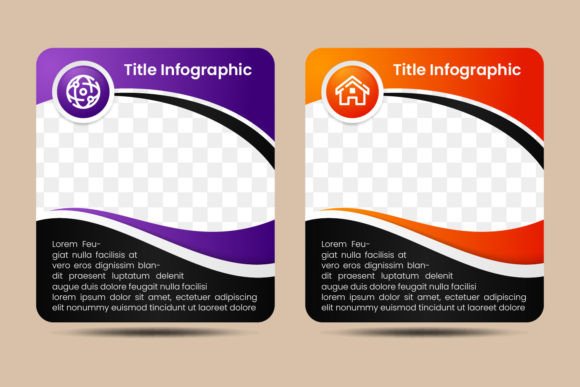
Think of it as a pre-built scaffold for your content. With its distinct rectangle photo placeholders, icons, and text blocks arranged on a clean layout, it provides immediate structure. You aren't starting from zero; you're starting from a smart, professional baseline. This is crucial for anyone who isn't a full-time designer but needs to produce high-quality visuals. A blogger can illustrate a step-by-step tutorial, a startup founder can map out their company's core services on a website, or a teacher can create a memorable classroom poster about a historical timeline. The template eliminates the friction of layout and composition, letting you focus entirely on your message.
Real-World Applications: Where This Template Lives and Works
Its multipurpose nature means it serves vastly different needs in the same elegant format. Let's look at specific scenarios.
A small business owner preparing for a local networking event might use the four gradient color blocks to represent their key service pillars. Each block holds an icon symbolizing the service, a photo placeholder for a relevant project image, and concise text. This becomes an easy-to-understand company overview on a printed flyer or digital banner, far more effective than a plain text brochure.
A marketer crafting an internal report for a new campaign could use the flow of the template to visualize the project phases—from concept (Photo Frame 1) to development (Frame 2) to launch (Frame 3) and analysis (Frame 4). The arrow elements and spatial progression instantly communicate direction and progress, making the report not just informative but persuasive.
For a freelancer or creator, this template acts as a portfolio booster. Imagine an illustrator using the photo frames to showcase different stages of their character design process, or a consultant displaying their client engagement methodology. It presents their work process as professional and systematic, adding credibility and visual appeal to their online presence or client proposals.
Why Vector Quality and Editability Matter for Real Projects
The technical specs like "100% vector" and "300dpi" sound abstract, but they translate directly to real-world flexibility and quality. Vector graphics mean every shape, line, and color block is defined by mathematical points, not pixels. For you, this means you can resize the entire infographic—to blow it up for a large conference poster or shrink it for a mobile-friendly web graphic—without any loss of clarity or sharpness. The 300dpi resolution ensures that if you do print it, the output is crisp and professional, no blurry edges or pixelated text.
The "editable text, shapes, and color" feature is the core of its utility. You aren't locked into a static image. You can change the gradient colors to match your brand palette in minutes. You can replace the placeholder icons with symbols more relevant to your industry. You can adjust the text from a corporate tone to a friendly, educational one. This editability makes it a long-term asset. It's not a one-use file; it's a template you can return to for different projects, adapting it as your needs evolve.
Considering Your Needs Before You Download
Before applying a template like the Photo Frame Infographic, it's wise to align it with your actual situation. Ask yourself a few practical questions. What is the primary medium for this visual? If it's mainly for digital use (social media, websites, PDFs), the SVG and JPG formats included will be ideal. If you anticipate high-quality printing, the AI and EPS files are key. Do you have the basic software to edit it? Access to a program like Adobe Illustrator or a compatible vector editor is needed to fully customize the shapes and colors. If you only need to change text, simpler software might suffice with certain file types.
Also, consider your content structure. The template excels at presenting four discrete points, stages, or features. It's perfect for a "four-pillar" business profile, a "four-step" process, or a "four-benefit" offer. If your message requires five or six key points, you might need to adapt the layout creatively or seek a different template. Matching the template's inherent structure to your information's natural segments saves immense time.
From Generic Asset to Personalized Communication Tool
The true benefit emerges when you move past seeing it as a mere "download" and start seeing it as a communication tool. The black background, for instance, isn't just a color choice; it creates contrast and focus, making your photos and gradient blocks pop, which is ideal for modern, sleek presentations or web graphics aimed at a professional audience. The rounded rectangles and clean spacing convey a sense of order and accessibility, subconsciously telling your viewer that the information is organized and approachable.
Ultimately, the Photo Frame Infographic template serves a simple, universal human need: the need to be understood. It helps the entrepreneur clarify their value proposition, the educator simplify a complex concept, the marketer track a campaign's progress visually, and the creative person present their workflow. By providing a ready-made visual language, it empowers you to communicate more effectively, in less time, with more impact. That's the practical outcome—not just a graphic file, but a clearer message delivered to your audience.